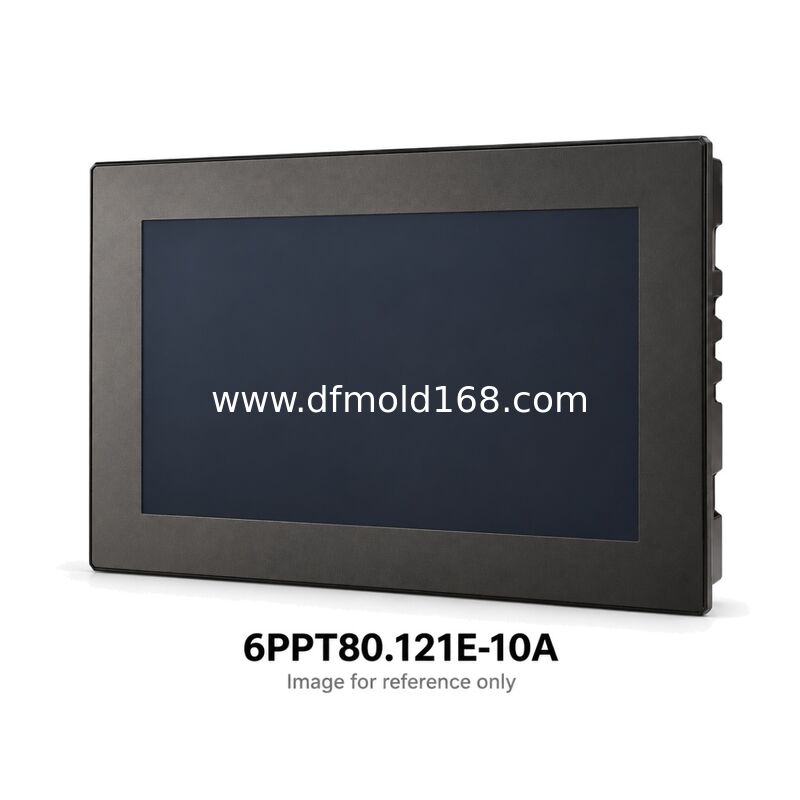
Highlight:
Product Type: |
Embedded HMI Visualization Terminal |
Display Size: |
12.1 Inches |
Native Resolution: |
1280 X 800 Pixels |
Display Orientation: |
Landscape Or Portrait, Software Configurable |
Touch Technology: |
Projected Capacitive Multi-touch |
Front Surface: |
Anti-glare Glass, Black Frame |
Ethernet Interface: |
1 X Gigabit Ethernet |
USB Interface: |
2 X USB 2.0 |
Processor: |
Intel Atom E3930, Dual Core, 1.3 GHz |
Onboard Flash: |
512 MB |
RAM: |
1 GB |
Visualization Clients: |
Embedded Web Browser And VNC Client |
Configuration Access: |
Integrated Service Page |
6PPT80.121E-10A 12.1in Anti-Glare 1-Port HMI
6PPT80.121E-10A is an embedded HMI visualization terminal. This 12.1-inch anti-glare terminal offers a 1280 x 800 display for machine interfaces that need a larger viewing area than a compact operator station. It connects to a compatible visualization host through one Gigabit Ethernet port. The application can combine operating values, recipe navigation and alarms on the same screen while retaining usable touch targets. For an installation upgrade or spare-panel order, compare the mechanical drawings and project layout before selecting it by resolution alone. A smaller panel with the same pixel count will not preserve the physical viewing area or cabinet fit.
Key Features and Typical Uses
12.1-inch 1280 x 800 interface for machine status, recipe navigation and alarm handling implemented by the connected host. Anti-glare viewing surface with capacitive multi-touch. Single Gigabit Ethernet port connects the terminal to the approved visualization network.
Supply and Quotation Information
Request a quotation for 6PPT80.121E-10A with quantity, delivery destination and required arrival date. Attach the installed label for a replacement inquiry. We quote against the confirmed model and order scope. Ask for the offered condition, included connectors and mounting accessories, price validity, availability and delivery terms to be listed before ordering.
Compatibility and Selection Note
Check the complete model, 1280 x 800 display, front surface, panel cutout and connector clearance. Retain a backup of terminal settings and identify the web or VNC host. Compare software compatibility and network wiring before accepting an alternative. Any project adaptation or commissioning work should be agreed separately from the hardware purchase.
Buying, Quotation and Replacement FAQ
1. How do I request a price for 6PPT80.121E-10A?
Send 6PPT80.121E-10A, quantity and destination. Include label photographs for a spare-panel purchase, the required arrival date and whether only an exact reference is acceptable.
2. Can a different 12.1-inch panel replace 6PPT80.121E-10A?
This model uses 1280 x 800 pixels. Check the mounting drawing and the host screen layout. Matching the diagonal alone does not preserve cabinet fit, resolution or touch behavior.
3. How does 6PPT80.121E-10B differ for ordering?
The final A or B identifies a glass-finish difference in this pair. This order calls for anti-glare glass, black frame. Keep that requirement on the inquiry and ask us to identify any proposed deviation explicitly.
4. Can this single-port unit replace a two-port installation?
6PPT80.121E-10A provides one Gigabit Ethernet port. Identify the purpose of both existing cables and assess any external switch requirement. Approve the revised network layout before accepting a single-port alternative.
5. Is the machine application included with the HMI?
The terminal includes browser and VNC client functions, but do not assume the machine project, host software or licenses are part of the hardware offer. Confirm access to the host and settings backup before ordering.
6. How do I confirm delivery and the supplied package?
Request written confirmation for the exact model and quantity, including availability, dispatch timing and transport terms. Check the stated condition and accessory list. Current price and delivery commitments are established in the quotation.

 Your message must be between 20-3,000 characters!