Verification: dd9dbffd7e34a82b
Dengfeng (Zhaoqing) Trading Co., Ltd
english
Quote
Dengfeng (Zhaoqing) Trading Co., Ltd
Products
Home /

Products

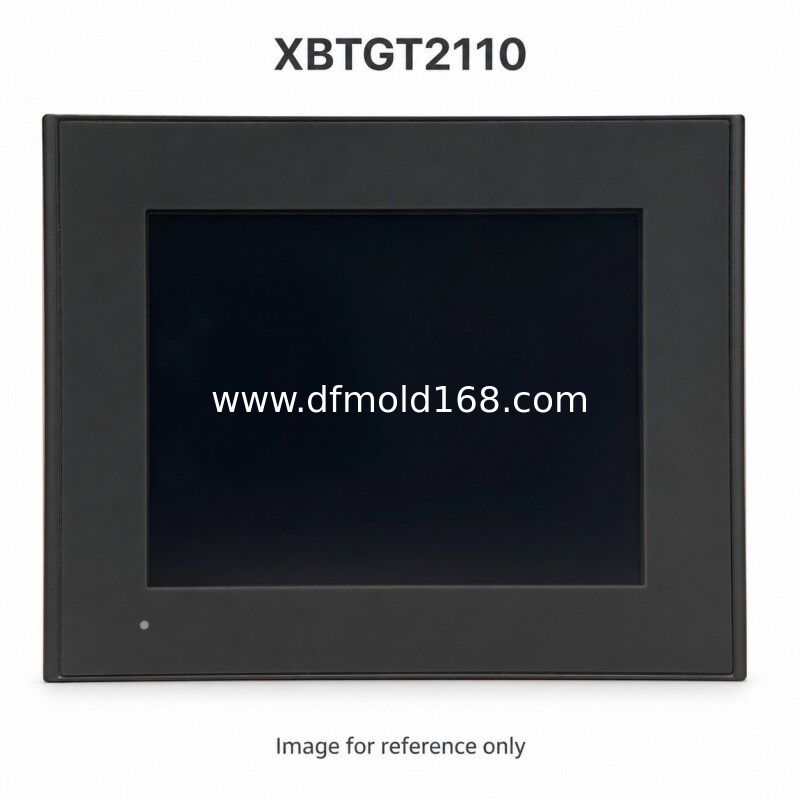
XBTGT2110 5.7in 320x240 Blue Mode Serial HMI

Product Details

Brand Name: Schneider

Model Number: XBTGT2110

Payment & Shipping Terms

Get Best Price
Contact Now
Specifications
Highlight:
Product Type:
HMI Operator Panel
Display Size:
5.7 Inches
Native Resolution:
320 X 240 Pixels
Display Technology:
Blue Mode Monochrome STN LCD
Display Colors Or Gradations:
16 Gradations
Nominal Supply:
24 VDC
Supply Range:
19.2 To 28.8 VDC
Maximum Power Consumption:
18 W
COM1:
RS-232C/RS-422/RS-485, 9-pin D-Sub
COM2:
RS-485, RJ45
Ethernet:
Not Fitted
USB Interface:
USB 1.1 Type A Host
CompactFlash Slot:
Not Fitted
Video Input:
Not Fitted
Application Flash Memory:
16 MB
Application Run DRAM:
32 MB
Product Type:
HMI Operator Panel
Display Size:
5.7 Inches
Native Resolution:
320 X 240 Pixels
Display Technology:
Blue Mode Monochrome STN LCD
Display Colors Or Gradations:
16 Gradations
Nominal Supply:
24 VDC
Supply Range:
19.2 To 28.8 VDC
Maximum Power Consumption:
18 W
COM1:
RS-232C/RS-422/RS-485, 9-pin D-Sub
COM2:
RS-485, RJ45
Ethernet:
Not Fitted
USB Interface:
USB 1.1 Type A Host
CompactFlash Slot:
Not Fitted
Video Input:
Not Fitted
Application Flash Memory:
16 MB
Application Run DRAM:
32 MB
Description
XBTGT2110 5.7in 320x240 Blue Mode Serial HMI

Parameters

Product typeHMI operator panel
Display size5.7 inches
Native resolution320 x 240 pixels
Display technologyBlue mode monochrome STN LCD
Display colors or gradations16 gradations
Nominal supply24 VDC
Supply range19.2 to 28.8 VDC
Maximum power consumption18 W
COM1RS-232C/RS-422/RS-485, 9-pin D-Sub
COM2RS-485, RJ45
EthernetNot fitted
USB interfaceUSB 1.1 Type A host
CompactFlash slotNot fitted
Video inputNot fitted
Application Flash memory16 MB
Application run DRAM32 MB

Product Description

XBTGT2110 is a 5.7-inch operator panel with a 320 x 240 pixel blue mode monochrome stn lcd display and a 24 VDC supply. It provides a configurable RS-232C/RS-422/RS-485 COM1 connection and a separate RS-485 COM2 connection. This reference has no Ethernet port, which matters when restoring the original serial communication arrangement. A configured application can show machine values and alarms and accept permitted operator settings. When buying a spare, compare the complete model and connector layout with the installed panel, preserve the project backup and check the display for readability and touch response.

Supply and Quotation

Request a quotation for XBTGT2110 with the quantity, destination and required arrival date. Send photographs of the installed front, rear connectors and model label when sourcing a spare. We will confirm the offered condition, hardware revision, included accessories, current availability and price validity in the quotation. Software licenses and machine programs are included only when expressly stated.

Compatibility

Match the full model to the installed power supply, communications, cabinet opening and application. Preserve the project backup and check the engineering software and firmware versions. Have the machine integrator assess any project conversion, wiring changes or commissioning needed for an alternative reference.

FAQ

  1. Is a CompactFlash slot fitted?
    No. XBTGT2110 does not have a CompactFlash slot. It also has no Ethernet port. Do not copy the storage and network specifications of another 5.7-inch panel.
  2. Are the two serial connections identical?
    No. COM1 uses a 9-pin D-Sub and supports RS-232C/RS-422/RS-485. COM2 is an RJ45 RS-485 port. Check the selected mode, cable pinout and controller driver for each.
  3. Will another 5.7-inch screen accept the same project?
    Do not assume so. This model has 320 x 240 pixels and a blue mode monochrome stn lcd. Check the target device, display colors, communication ports and mounting drawing before changing models.
  4. How do I request a price for XBTGT2110?
    Send the full reference, quantity, preferred condition and delivery destination. Include label photos and any deadline. Current price and availability are confirmed for the specific offered unit.
  5. Will my machine program already be installed?
    Do not assume the offered hardware contains your application. Confirm access to the project backup, passwords and required software before purchase. Agree any transfer or commissioning work separately.
  6. What should be confirmed before shipment?
    Request matching model-label and connector photos, the accessory list and an agreed inspection scope. Confirm packaging, dispatch timing, delivery terms and warranty in the quotation.

Tags:

Send your inquiry
Please send us your request and we will reply to you as soon as possible.
Send