Product Details
Brand Name: Schneider
Model Number: XBTGT1105
Payment & Shipping Terms
Product Type: |
HMI Operator Panel |
Display Size: |
3.8 Inches |
Native Resolution: |
320 X 240 Pixels |
Display Technology: |
Monochrome STN LCD |
Display Colors Or Gradations: |
8 Gray Levels |
Nominal Supply: |
24 VDC |
Supply Range: |
19.2 To 28.8 VDC |
Maximum Power Consumption: |
13 W |
COM1: |
RS-232C/RS-485, RJ45 |
COM2: |
Not Fitted |
Ethernet: |
Not Fitted |
USB Interface: |
USB 1.1 Type A Host |
CompactFlash Slot: |
Not Fitted |
Video Input: |
Not Fitted |
Application Flash Memory: |
32 MB |
Application Run DRAM: |
16 MB |
Product Type: |
HMI Operator Panel |
Display Size: |
3.8 Inches |
Native Resolution: |
320 X 240 Pixels |
Display Technology: |
Monochrome STN LCD |
Display Colors Or Gradations: |
8 Gray Levels |
Nominal Supply: |
24 VDC |
Supply Range: |
19.2 To 28.8 VDC |
Maximum Power Consumption: |
13 W |
COM1: |
RS-232C/RS-485, RJ45 |
COM2: |
Not Fitted |
Ethernet: |
Not Fitted |
USB Interface: |
USB 1.1 Type A Host |
CompactFlash Slot: |
Not Fitted |
Video Input: |
Not Fitted |
Application Flash Memory: |
32 MB |
Application Run DRAM: |
16 MB |
| Product type | HMI operator panel |
| Display size | 3.8 inches |
| Native resolution | 320 x 240 pixels |
| Display technology | Monochrome STN LCD |
| Display colors or gradations | 8 gray levels |
| Nominal supply | 24 VDC |
| Supply range | 19.2 to 28.8 VDC |
| Maximum power consumption | 13 W |
| COM1 | RS-232C/RS-485, RJ45 |
| COM2 | Not fitted |
| Ethernet | Not fitted |
| USB interface | USB 1.1 Type A host |
| CompactFlash slot | Not fitted |
| Video input | Not fitted |
| Application Flash memory | 32 MB |
| Application run DRAM | 16 MB |
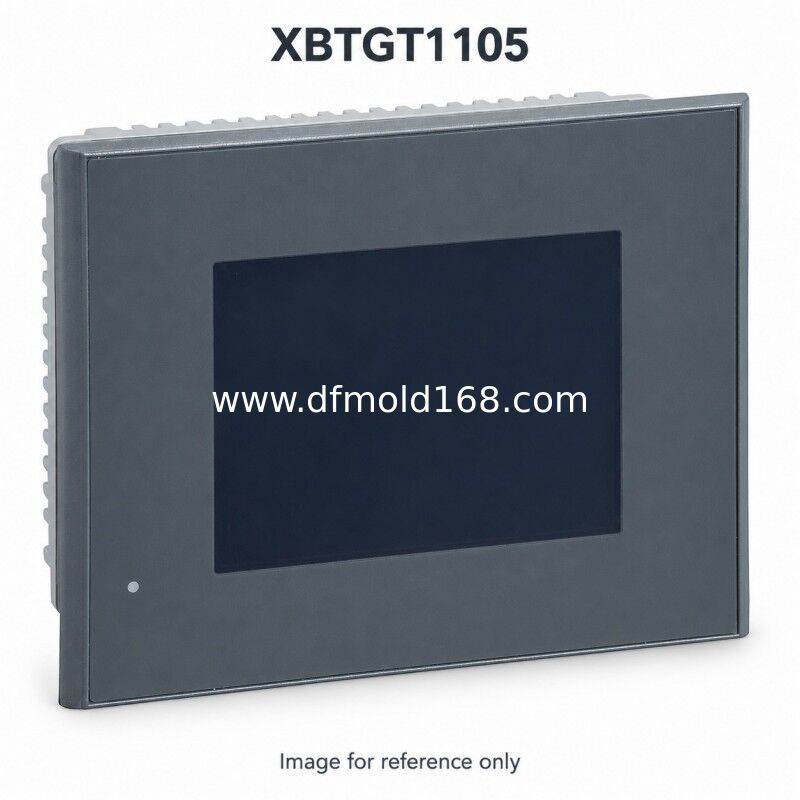
XBTGT1105 is a 3.8-inch operator panel with a 320 x 240 pixel amber monochrome STN display and a 24 VDC supply. Its single RJ45 serial connection supports RS-232C or RS-485. This reference has no Ethernet port, which matters when restoring the original serial communication arrangement. A configured application can show machine values and alarms and accept permitted operator settings. When buying a spare, compare the complete model and connector layout with the installed panel, preserve the project backup and check the display for readability and touch response.
Request a quotation for XBTGT1105 with the quantity, destination and required arrival date. Send photographs of the installed front, rear connectors and model label when sourcing a spare. We will confirm the offered condition, hardware revision, included accessories, current availability and price validity in the quotation. Software licenses and machine programs are included only when expressly stated.
Match the full model to the installed power supply, communications, cabinet opening and application. Preserve the project backup and check the engineering software and firmware versions. Have the machine integrator assess any project conversion, wiring changes or commissioning needed for an alternative reference.
Tags: